Requests: flagged actions and coupon opportunities
Go to Apps → Vosaire: AI Chatbot & Sales → Customer Activity → Requests, next to Leads.
Two tabs
- Needs attention — cancellation/return requests, human handoff requests, and coupon opportunities your agent flagged for review. Empties out as you handle each one.
- Actions log — every action your agent has taken, full stop: order lookups, product recommendations, draft orders, tickets, and everything else, whether or not it needed a human.
Coupon opportunities
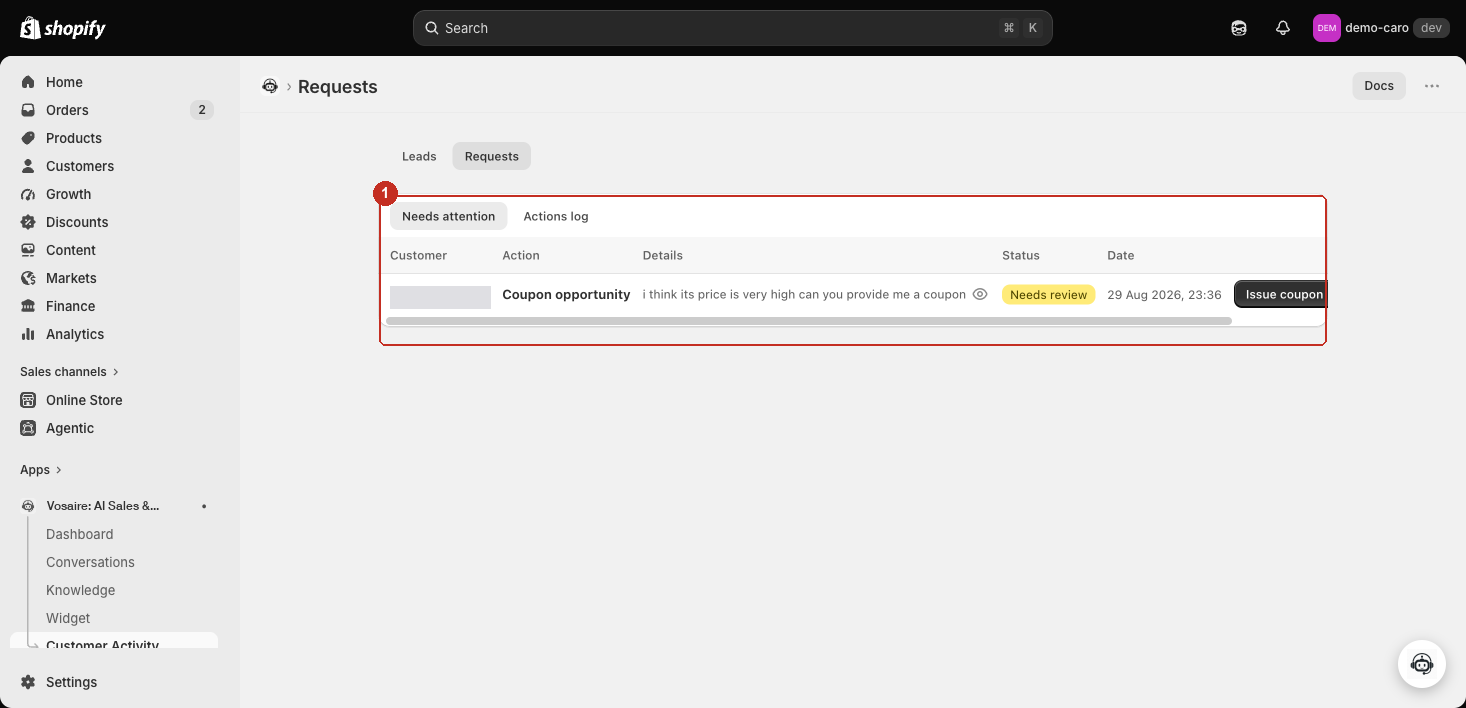
When a customer hints they'd buy if there were a discount (e.g. "the price is a bit high, can I get a coupon?") but your agent doesn't have a discount action configured to offer one automatically, it logs the moment as a Coupon opportunity instead of just letting it pass. From this row you can:
- Click the eye icon next to the details to see exactly what the customer said.
- Click Issue coupon to create a real, one-time discount code using your agent's configured discount settings and email it directly to the customer — a deliberate manual call, not something your agent decided to send on its own.
- Click Dismiss if you don't want to follow up on this one.
Handling a cancellation or human-handoff request
For non-coupon rows, click Mark handled to open a confirmation dialog. It's explicit that this only updates the record here — it does not touch the order in Shopify: make any actual cancellation, refund, or modification directly in Shopify first, then come back and mark it handled, optionally with an Outcome (Approved/Rejected) and a Note for the record.
The Actions log
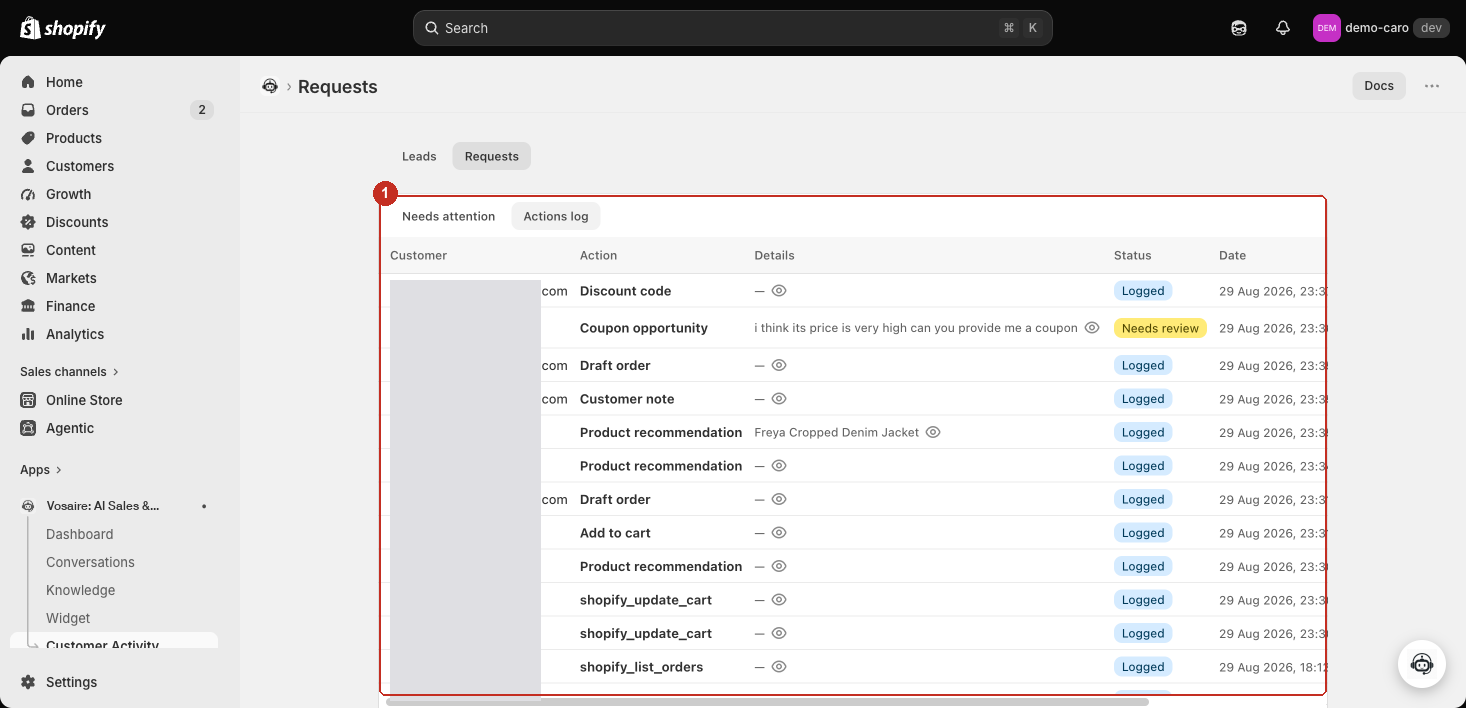
Every action — logged automatically, not just the ones needing review — with the customer (when known), which action fired, a short detail summary, status, and timestamp. Click the eye icon on any row to see the full input and output your agent's action actually used, useful for confirming exactly what happened rather than trusting the one-line summary alone.
Why this is separate from Conversations
Conversations shows the chat transcript — what was said. Requests shows what your agent actually did as a result, across every conversation, in one list you can work through as a queue rather than opening conversation by conversation to find the ones that need something from you.