Agent identity: name, language, and timezone
Go to Apps → Vosaire: AI Chatbot & Sales → Account → Settings. The Agent identity section covers basic info — as the page notes, "not visible to customers" except where stated.
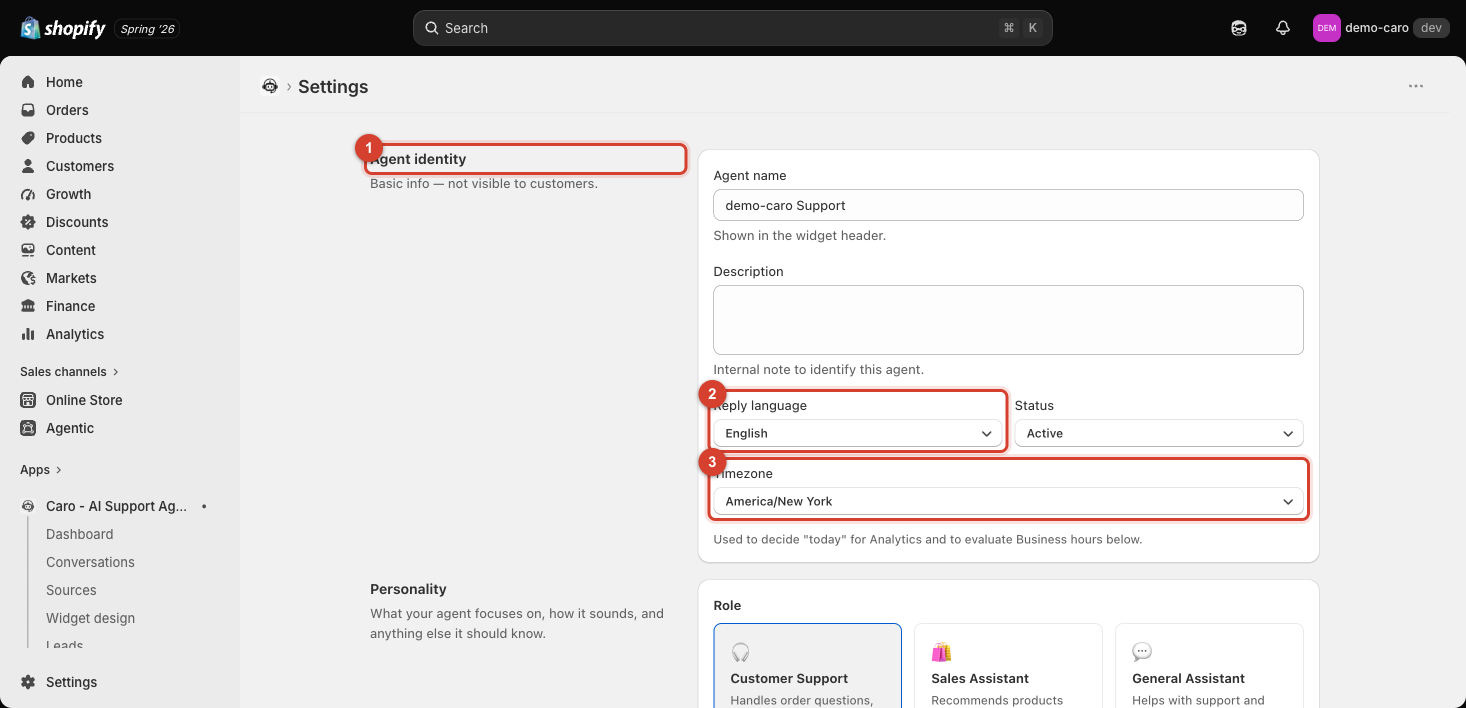
Fields
| Field | What it does |
|---|---|
| Agent name | Shown in the widget header — this is the one field here customers do see. Also editable from Widget design → Chat. |
| Description | An internal note to identify this agent — useful if you ever run more than one Vosaire agent. |
| Reply language | The language Vosaire replies in (English by default). |
| Status | Active, Inactive, or Draft — see Pausing and resuming your agent. |
| Timezone | Used to decide "today" for Analytics date ranges, and to evaluate business-hours-based behavior. |
Why timezone matters beyond Analytics
Getting Timezone right isn't just cosmetic — it affects how "today," "this week," and any time-of-day-dependent behavior are calculated. Set it to match where your business actually operates, not necessarily where your Shopify account was originally registered.