How leads are captured
Go to Apps → Vosaire: AI Chatbot & Sales → Customer Activity → Leads. Before any leads come in, the page shows a prompt to enable lead capture, plus an empty-state explanation of where leads actually come from.
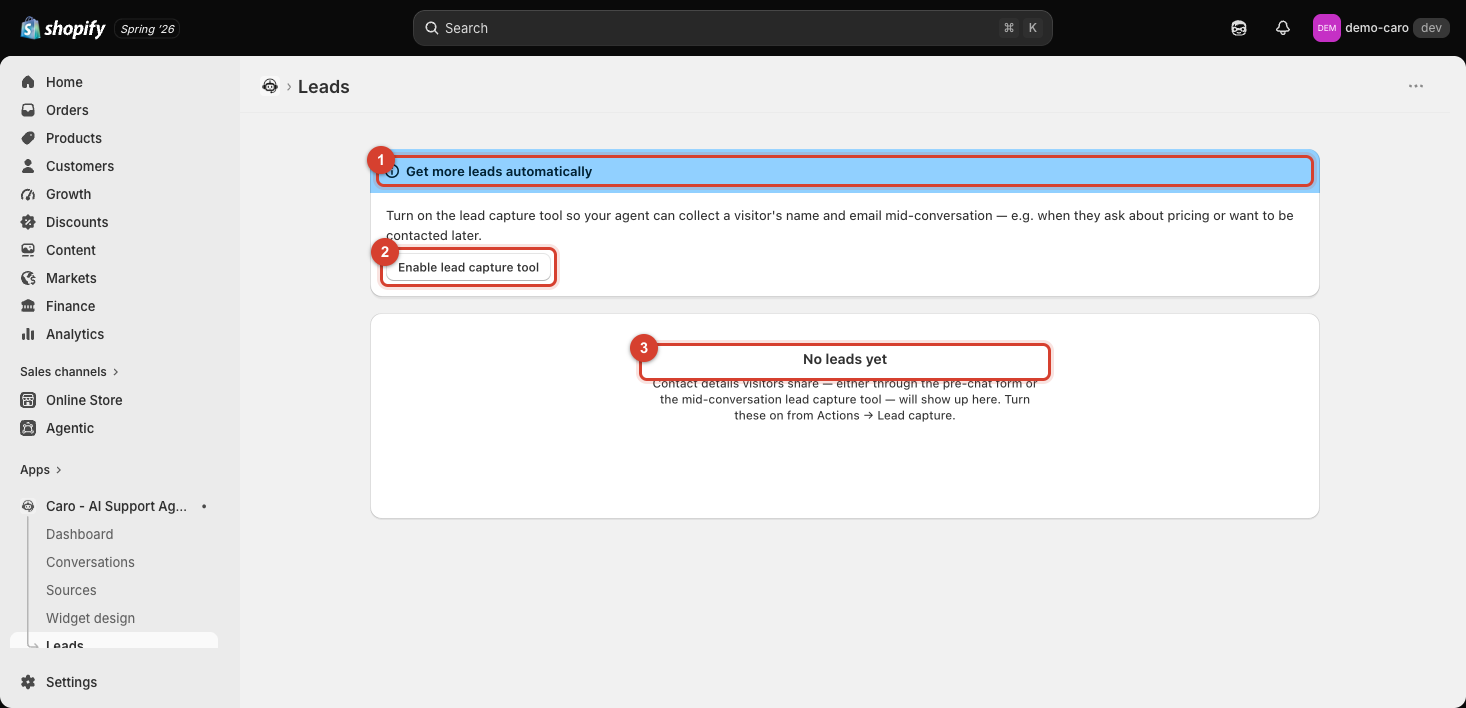
Before any leads come in, this same table shows an empty state instead, with a "Get more leads automatically" banner if lead capture isn't turned on yet.
The two capture paths
Contact details a visitor shares reach this page through either of:
- The pre-chat form — collected before a conversation even starts.
- The mid-conversation lead capture tool — Vosaire asks for a name and email naturally during a conversation, e.g. when a visitor asks about pricing or wants to be contacted later.
Both are controlled from Widget → AI Tools → Lead capture form — see Lead capture form and Customer profile fields for how to enable it.
Turning it on from this page directly
The banner at the top — "Get more leads automatically" — includes an Enable lead capture tool shortcut, so you don't have to navigate to Actions separately to turn it on.
Why leads matter even without a purchase
A lead capture doesn't require a completed sale — it's specifically for visitors who engaged but didn't convert in that session, giving you a way to follow up later instead of losing the contact entirely.