Behavior: replies, animations, memory, and page visibility
Go to Apps → Vosaire: AI Chatbot & Sales → Widget → Design → More views → Behavior. This tab covers everything about how the widget acts, as opposed to how it looks.
Reply actions
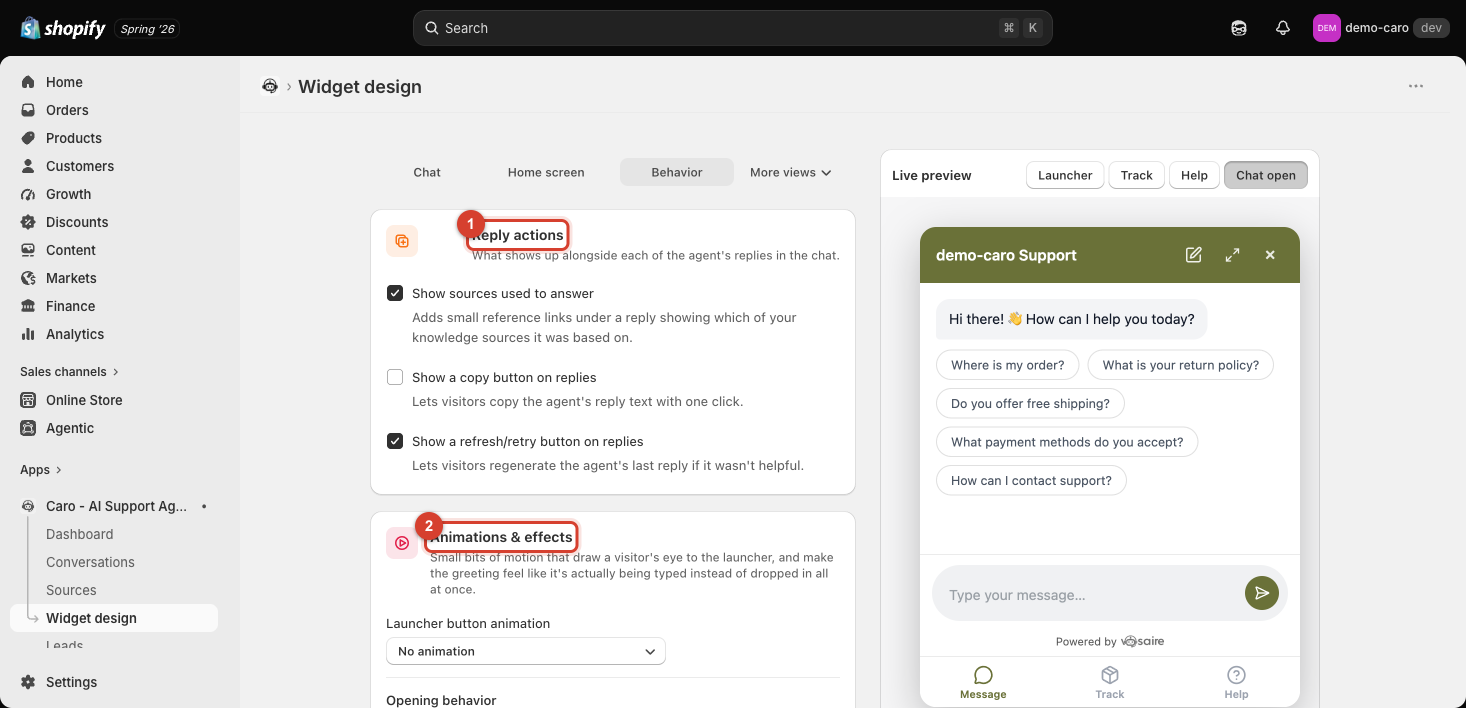
| Setting | Default | What it does |
|---|---|---|
| Show sources used to answer | On | Adds small reference links under a reply showing which knowledge source it came from |
| Show a copy button on replies | Off | Lets visitors copy the agent's reply text with one click |
| Show a refresh/retry button on replies | On | Lets visitors regenerate the last reply if it wasn't helpful |
Animations & effects
- Launcher button animation — a bit of motion to draw the eye to the launcher (default: No animation).
- Opening behavior — when the widget opens (default: Wait for a click).
- Teaser bubble — a small message that appears near the launcher before a visitor clicks it. On product/collection pages it defaults to a smart, context-aware message ("Ask about [Product] →") even with nothing else configured. You can set a Custom message to always show the same line instead, a Show after (seconds) delay (default 3s), and whether it also appears on mobile.
- Typewriter effect on the greeting message — the greeting types itself out like a live reply instead of appearing instantly, with a configurable Typing speed.
Memory
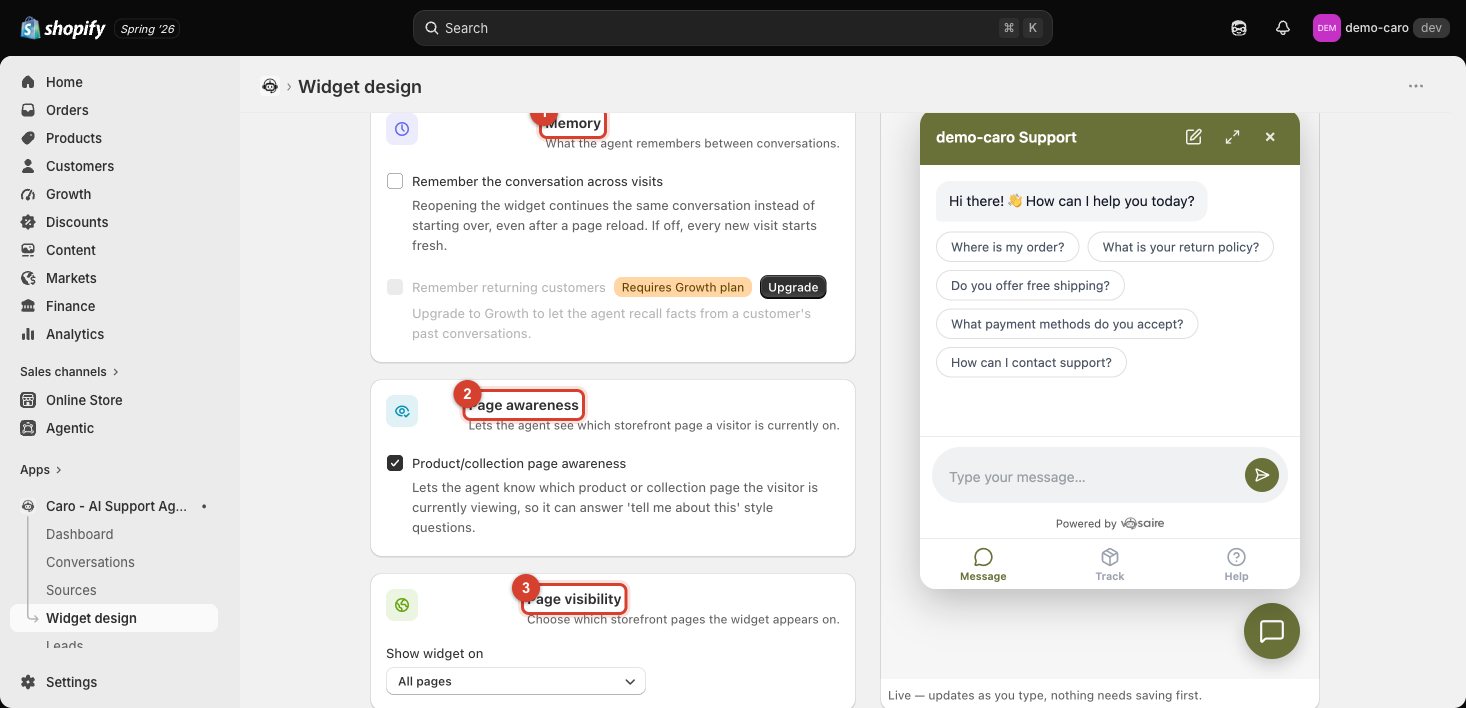
- Remember the conversation across visits (off by default) — reopening the widget continues the same conversation instead of starting over, even after a page reload. When off, every new visit starts fresh.
- Remember returning customers — requires the Growth plan. Lets the agent recall facts from a customer's past conversations, not just the current session. See Customer Memory for how this works once enabled.
Page awareness
Product/collection page awareness (on by default) lets the agent know which product or collection page a visitor is currently viewing, so it can answer questions like "tell me about this" without the customer naming the product.
Page visibility
Show widget on controls which storefront pages display the widget at all — the default is All pages, but you can restrict it to (or hide it from) specific pages. See Controlling which pages show the widget for the full picker, path syntax, and the empty-allow-list warning.