Docs / Sales & Support Actions
Actions overview: giving your agent things to do
Go to Apps → Vosaire: AI Chatbot & Sales → Widget → AI Tools. While Sources give Vosaire knowledge to talk about, Actions give it capabilities — looking up a real order, creating a real discount code, flagging a return for your team.
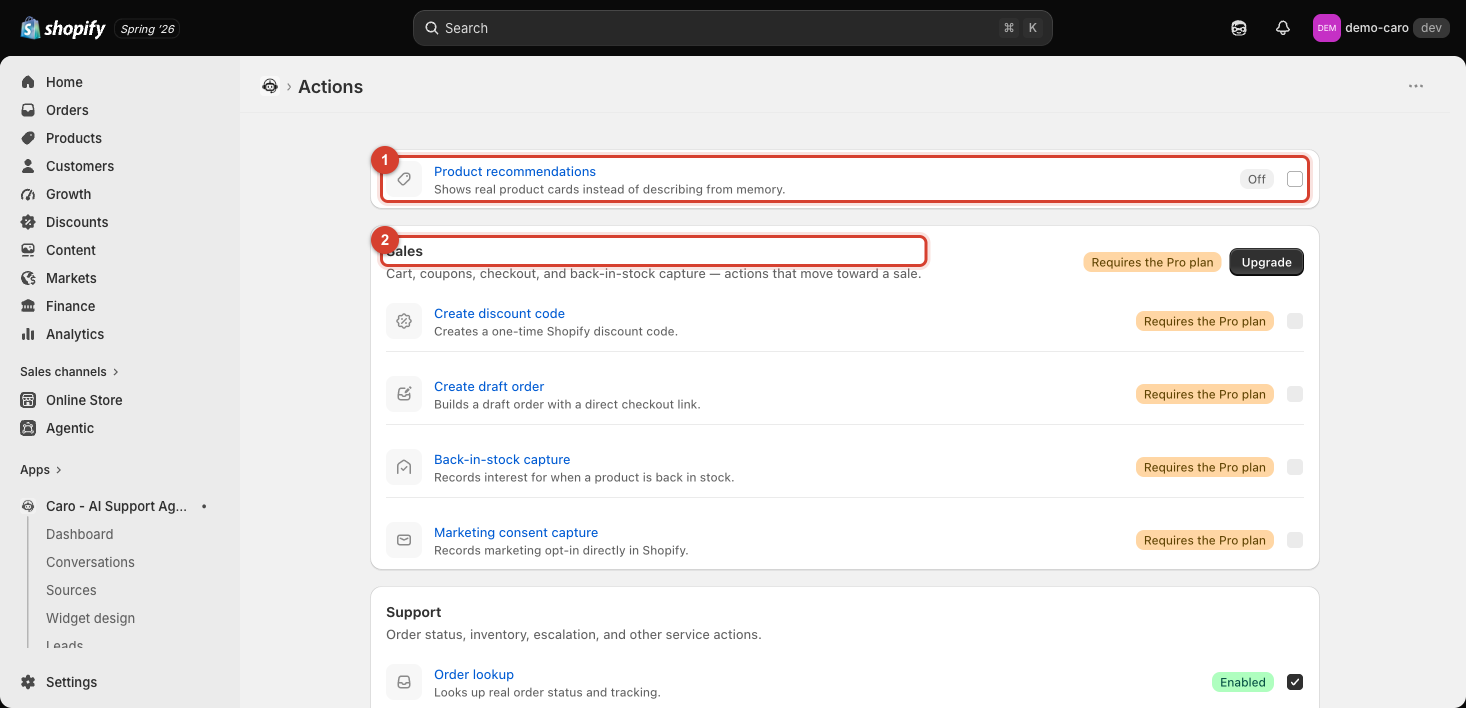
How the list is organized
Actions are grouped into two sections:
- Sales — cart, coupons, checkout, and back-in-stock capture: actions that move toward a sale. This whole section requires the Pro plan.
- Support — order status, inventory, escalation, and other service actions, each gated individually (some available on Starter, others requiring Growth or Pro).
Below those, Customer profile fields and Custom API tools are separate, more advanced capabilities (Pro plan).
Enabling an action
Click any action's name to open its detail page, which explains exactly what it does and when it fires, then check Enable this action.
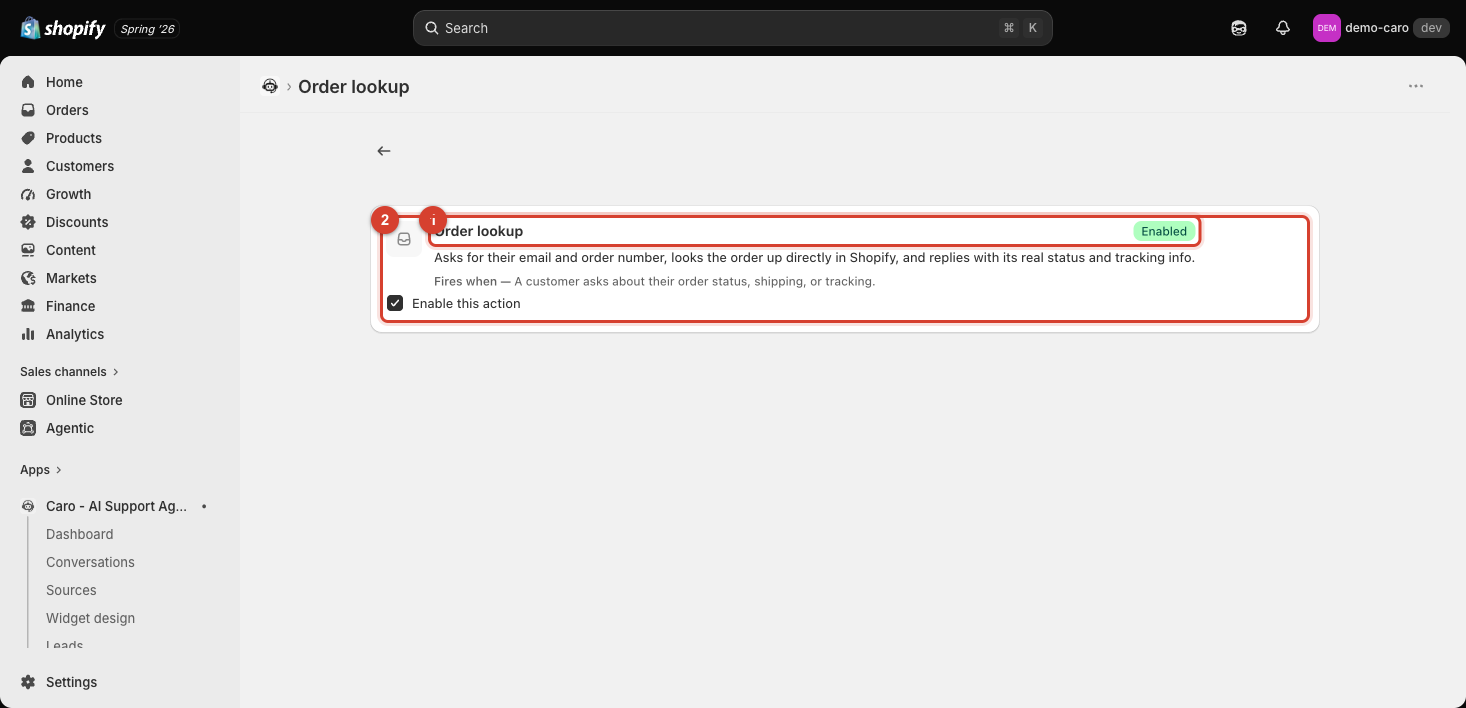
Every action follows this same pattern: a short description of what it does, a "Fires when —" line explaining the trigger condition, and a single Enable this action checkbox. There's no separate "save" step beyond checking the box.
Plan-gated actions
Actions your current plan doesn't include show a plan badge (e.g. "Requires the Pro plan") instead of an enable checkbox — some Home screen quick actions (see Setting up the Home screen) let you check the box to preview the action even if you can't save it, but on the Actions page itself, upgrading is required before you can turn it on.
See the following articles for what each action actually does:
- Product recommendations
- Sales actions: discounts, draft orders, back-in-stock, and marketing consent
- Order lookup and live inventory check
- List customer orders and Customer profile & total spend
- Cancellation & return intake
- Customer notes & tags
- Email verification
- Custom API tools
- Lead capture form and Customer profile fields