Docs / Sales & Support Actions
Lead capture form and Customer profile fields
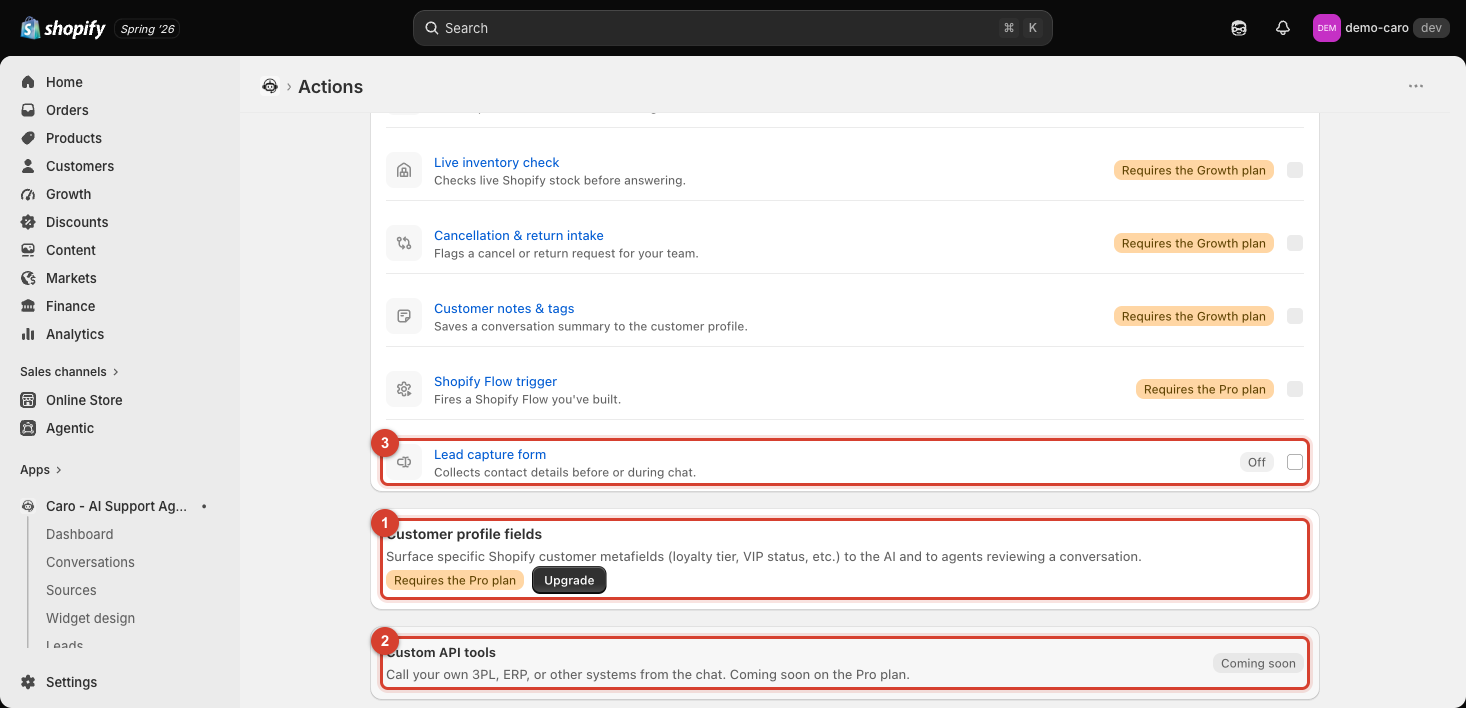
Lead capture form — available on every plan, off by default
Go to Apps → Vosaire: AI Chatbot & Sales → Widget → AI Tools → Support → Lead capture form. Collects contact details before or during a chat — useful for capturing a visitor as a lead even if they don't complete a purchase in that session. See Leads & Contacts for what happens to captured leads.
Customer profile fields — requires the Pro plan
Surfaces specific Shopify customer metafields — loyalty tier, VIP status, or any other custom field you've set up — to both the AI and to agents reviewing a conversation. This is shown as its own section (not a single toggle) since it requires an upgrade before any configuration is available; on lower plans you'll see an Upgrade button instead of a setup flow.
Why this is powerful once unlocked
Without this, Vosaire treats every customer the same regardless of any custom data you track about them. With it, a VIP customer's status — or any other metafield relevant to how you want that conversation to go — becomes visible context for the AI's replies, and visible to your team reviewing the conversation afterward, without you having to explain it in every single conversation's training data.