Pausing and resuming your agent
Go to Apps → Vosaire: AI Chatbot & Sales → Account → Settings → Agent identity → Status.
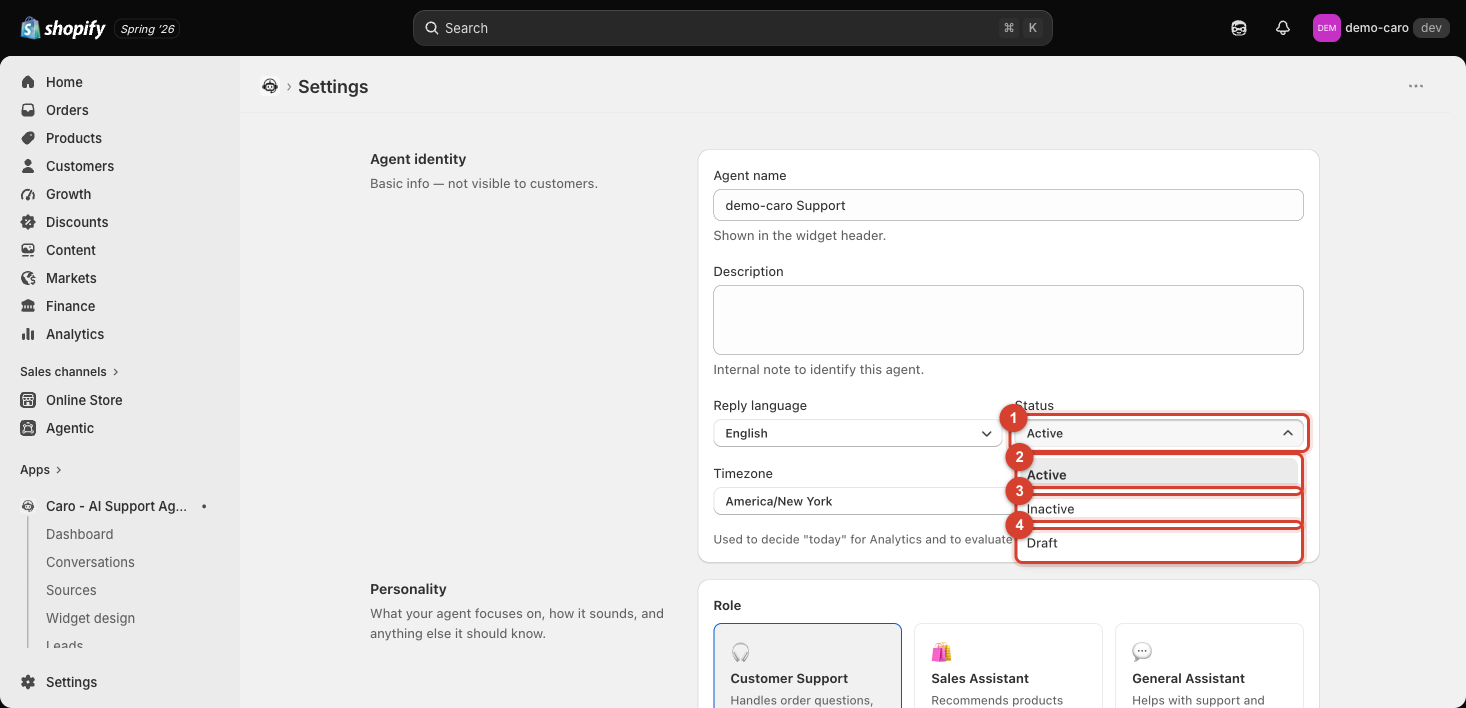
The three states
| Status | Meaning |
|---|---|
| Active | Vosaire responds to customers normally. |
| Inactive | Vosaire stops responding — the same effect as the Pause agent button on the Dashboard. |
| Draft | For an agent that's still being set up and isn't ready to go live at all. |
Pausing doesn't remove the widget
Setting Status to Inactive stops the AI from replying, but it doesn't take the chat widget off your storefront — customers can still open it, they just won't get automated responses. If you need the widget itself gone, that's a separate step in your theme editor's App embeds panel (see Installing the chat widget on your storefront).
When to pause vs. adjust a setting instead
Pause the whole agent (Inactive) when you specifically need a human-only period — a major sale event, a policy change you haven't finished documenting in Sources, or troubleshooting a reported issue. For narrower problems (one wrong answer, one bad action), fix the specific Source or Action instead of pausing everything.