
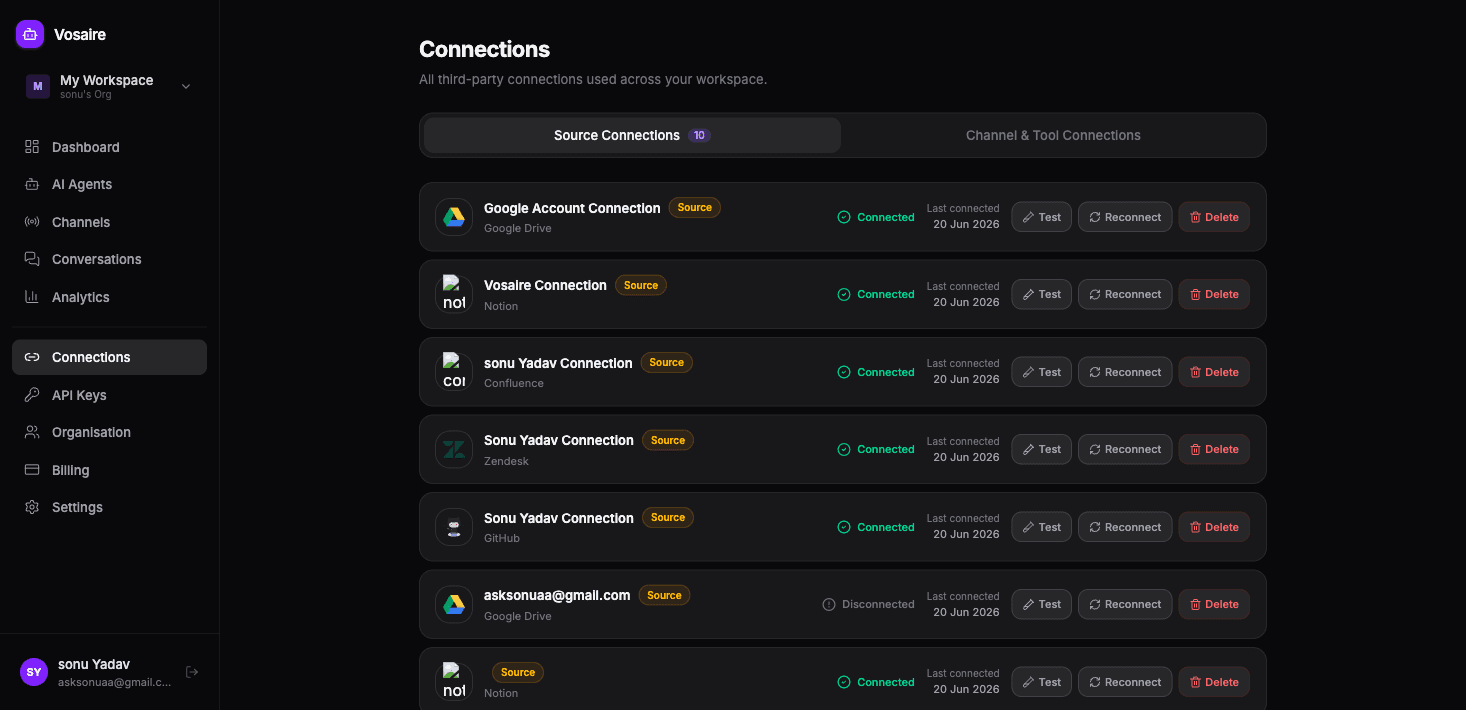
Connections are the OAuth authorizations that let Vosaire access third-party services on your behalf. They're the authentication layer that sits underneath channels and source integrations.
Connections vs. channels
The distinction trips people up at first, so here's a clear way to think about it:
- A connection is like a key — it authorizes Vosaire to access an account (Gmail, Notion, Google Drive, etc.)
- A channel uses that key to do something — like reading emails and sending replies
For Gmail specifically:
- You create a connection by going through the Google OAuth flow (Vosaire gets a token that lets it access your Gmail)
- You create a Gmail channel and point it at that connection (now the agent uses the connection to read emails)
Some services (Telegram, website widget) don't need a separate connection — everything is configured directly in the channel settings.
Where to manage connections
Go to Connections in the sidebar. You'll see two tabs:
Source Connections — OAuth connections used for knowledge sources:
- Google Drive
- Notion
- GitHub
- Confluence
- Zendesk
- Freshdesk
- And others
Channel & Tool Connections — connections used for channels:
- Gmail (for email channels)
- WhatsApp (Meta API credentials)
Connection status
Each connection shows one of three statuses:
| Status | What it means |
|---|---|
| Connected | Active and working |
| Disconnected | The token expired or was revoked |
| Error | There's a problem — test the connection for details |
Testing a connection
Click the Test button next to any connection. Vosaire will make a quick API call to verify the token is still valid and the service is accessible. If it fails, you'll see the error and can reconnect.
Reconnecting
If a connection shows Disconnected or Error, click Reconnect to go through the OAuth flow again. This refreshes the token without losing your channel or source configuration — everything that was using that connection will start working again once it's reconnected.
Deleting a connection
Click Delete to remove a connection. Before deleting, check if any channels or sources are using it — deleting a connection that a channel depends on will break that channel's ability to send and receive messages.