Understanding conversation statuses
The filter views on the Conversations page aren't just labels — each maps to something specific worth handling differently.
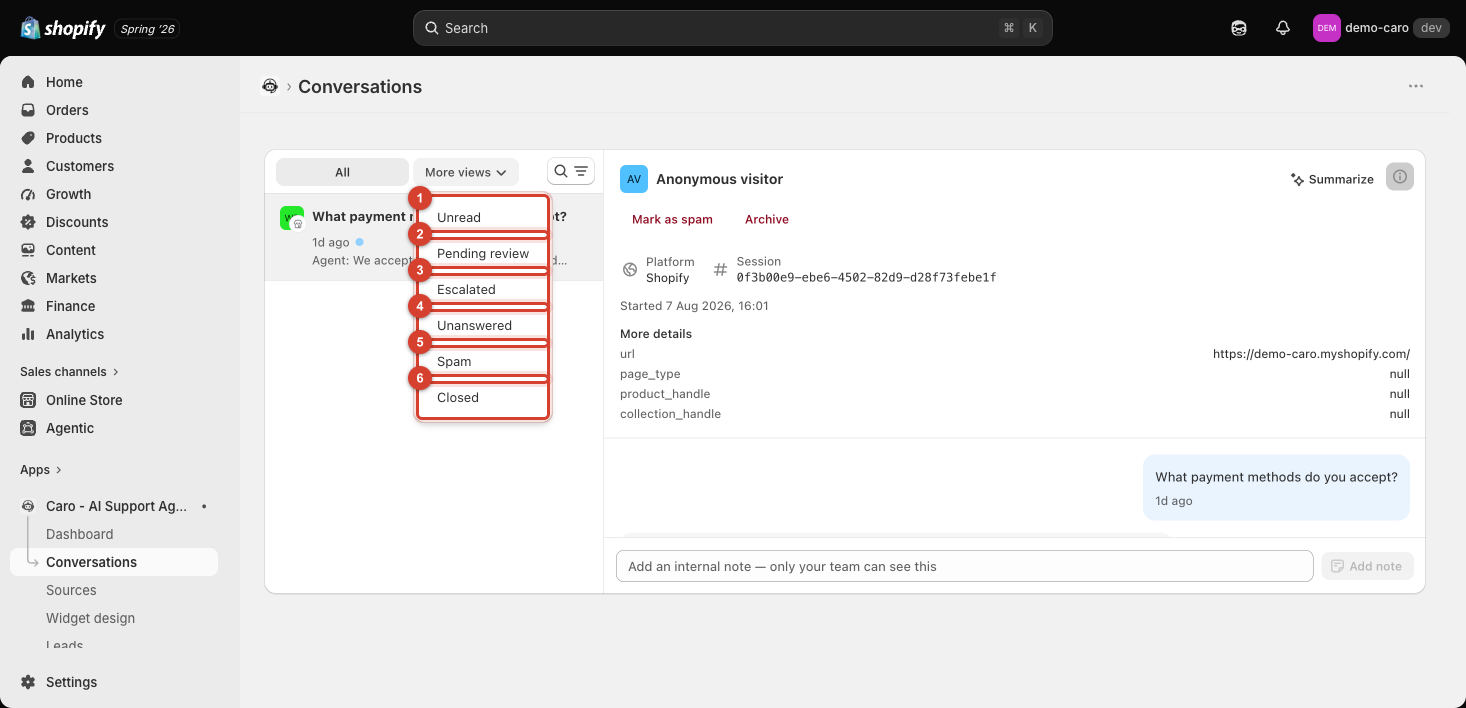
Unread
Simply: you haven't opened it yet. No implication about whether it needs action — check this filter regularly so nothing sits unseen.
Pending review
Flagged for a human to check before or after it's handled — typically because of a Behavior or AI Behavior & Settings rule that routes certain topics through a review step rather than replying automatically.
Escalated
The AI handed this off to your team entirely — usually because it couldn't confidently answer, or because the conversation matched an escalation rule (see Escalation rules). These need a human reply, not just a review.
Unanswered
The AI didn't reply at all. This is worth investigating whenever it happens — check whether it's a training gap (Sources), an Action that should have handled it but wasn't enabled, or a genuine edge case worth teaching Vosaire to handle going forward.
Spam and Closed
Housekeeping states — see Internal notes, spam, and archiving.
A simple triage order
When catching up on conversations, check them in this order: Escalated (needs you directly) → Pending review (needs a look) → Unanswered (needs investigation) → Unread (everything else).