Internal notes, spam, and archiving
Adding an internal note
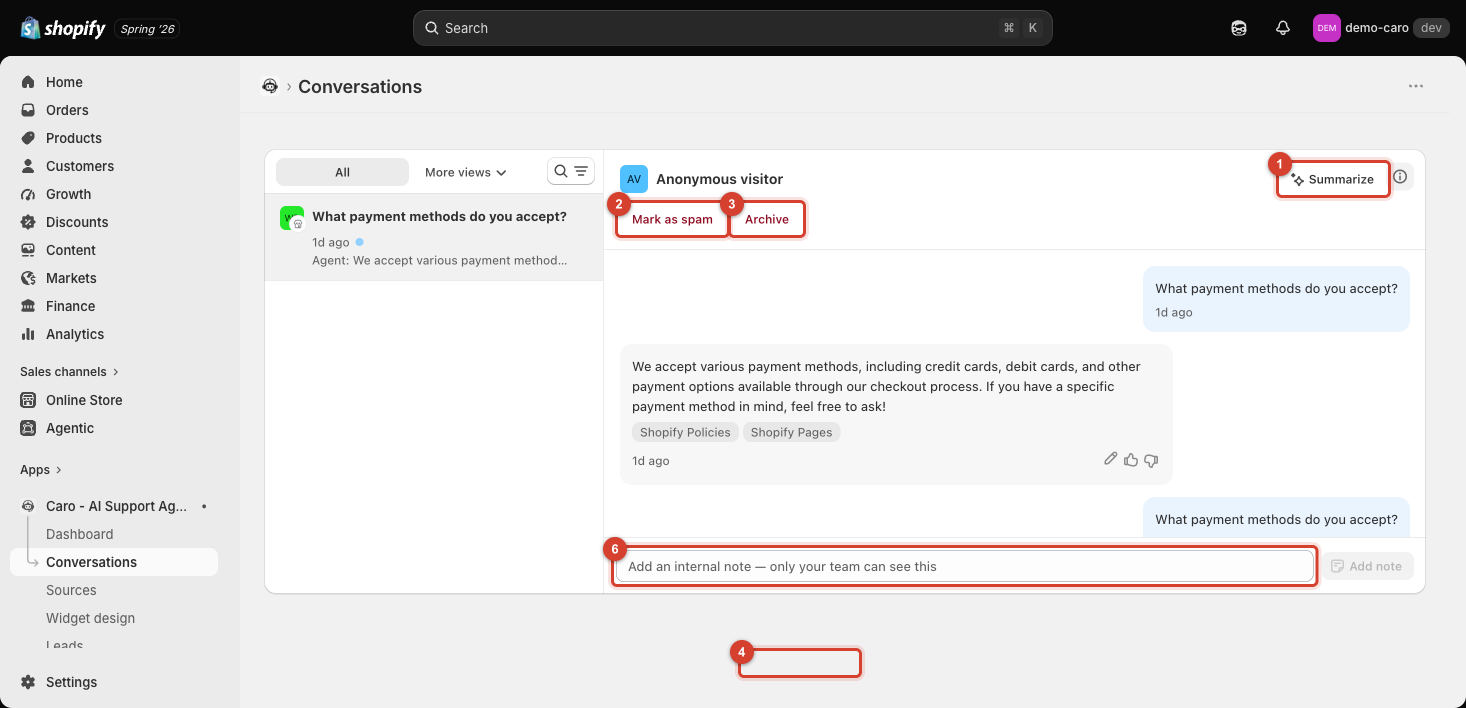
At the bottom of any conversation, there's an "Add an internal note" field — visible only to your team, never to the customer. Use it to leave context for whoever picks up the conversation next (e.g. "already refunded manually, no further action needed") without it appearing in the actual chat.
Mark as spam
Use Mark as spam for conversations that aren't real customer inquiries — bot traffic, junk, or abuse. This moves the conversation to the Spam filter view (see The Conversations inbox) and keeps it out of your regular unread/pending queues.
Archive
Use Archive once a conversation is fully resolved and doesn't need further attention. Archived conversations show up under the Closed filter — they aren't deleted, just moved out of your active queue.
Keeping the inbox usable
For any store with real conversation volume, regularly marking spam and archiving resolved conversations is what keeps Unread and Pending review meaningful as a to-do list, rather than a mix of everything that's ever happened.