Docs / Training & Knowledge Base
Custom sources: adding URLs, FAQs, and files
Store data (products, pages, policies) covers the basics, but most stores have knowledge that lives outside Shopify — a size chart PDF, a shipping-rates spreadsheet, a help-centre hosted elsewhere. That's what Custom sources are for.
Go to Apps → Vosaire: AI Chatbot & Sales → Knowledge → Sources → Custom sources, then click Add source.
The 8 source types
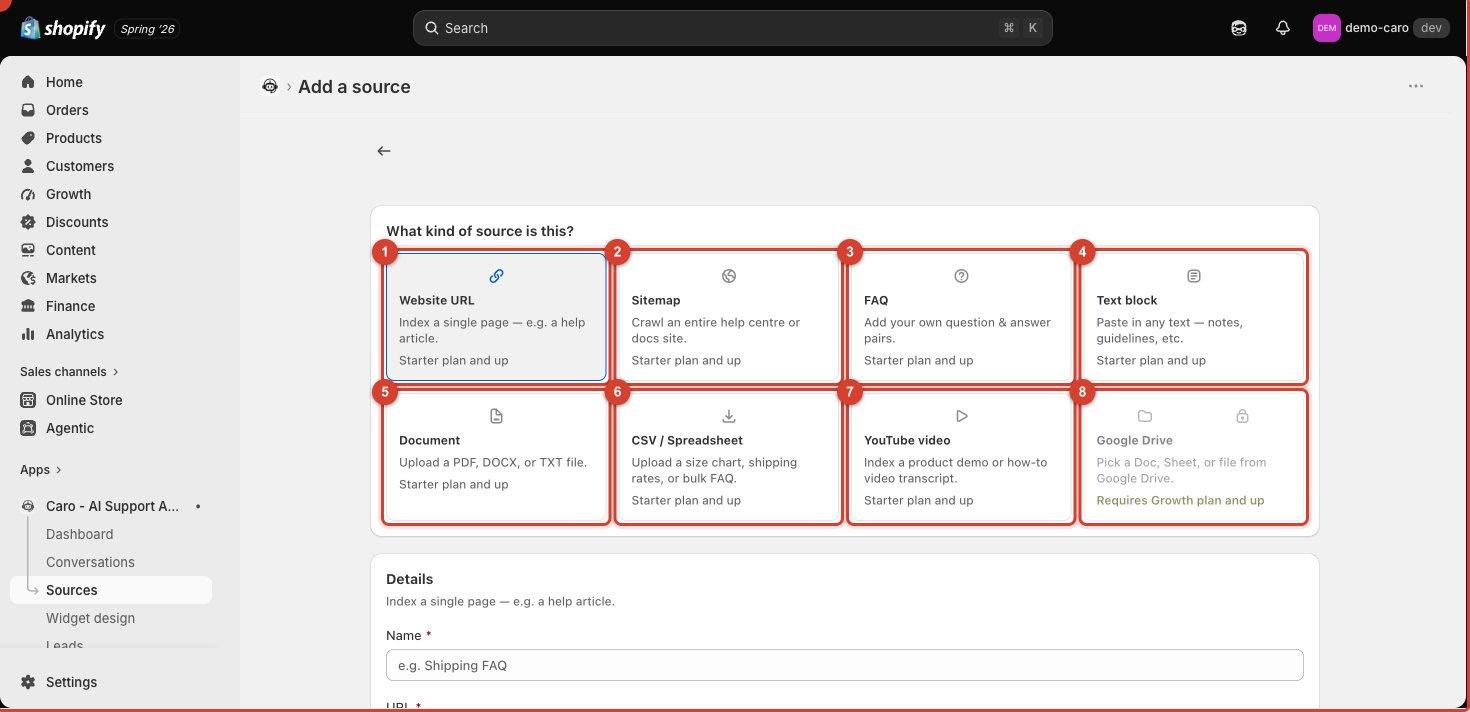
| # | Type | Best for |
|---|---|---|
| 1 | Website URL | A single external page, e.g. a help article not hosted on your Shopify pages |
| 2 | Sitemap | Crawling an entire help centre or docs site at once, instead of adding pages one by one |
| 3 | FAQ | Typing your own question-and-answer pairs directly — the most precise way to control an answer |
| 4 | Text block | Pasting in free-form notes, internal guidelines, or anything without a natural source document |
| 5 | Document | Uploading a PDF, DOCX, or TXT file — e.g. a product manual |
| 6 | CSV / Spreadsheet | A size chart, shipping-rate table, or bulk FAQ export |
| 7 | YouTube video | Indexing a product demo or how-to video's transcript |
| 8 | Google Drive | Picking a Doc, Sheet, or file straight from Drive — requires the Growth plan or higher |
Adding a source
- Click the type of source you want (it's selected with a highlighted border, as shown above).
- Fill in the Details section — for a Website URL this is a Name (for your own reference) and the URL to index.
- Set the Sync frequency (Manual by default) — see Sync frequency explained for when to use Automatic.
- Save. Vosaire will fetch and index the content; it appears in your Custom sources list once indexing succeeds.
Page limits
Custom sources share a page quota shown at the top of the Custom sources tab (e.g. "0 / 10,000 pages used"). A Sitemap source can use up many pages at once since it indexes every page it finds — check the count after adding one to make sure you haven't used more of your quota than expected.
Choosing FAQ vs. Website URL vs. Text block
- Use FAQ when you want to guarantee the exact wording of an answer to a specific question (e.g. "Do you ship to Canada?").
- Use Website URL or Sitemap when the content already lives on a page you want to keep in sync with edits.
- Use Text block for anything that doesn't have a URL — internal policy notes, a one-off clarification, seasonal promo details.