Blog / Customer Support / Guides
November 1, 2026
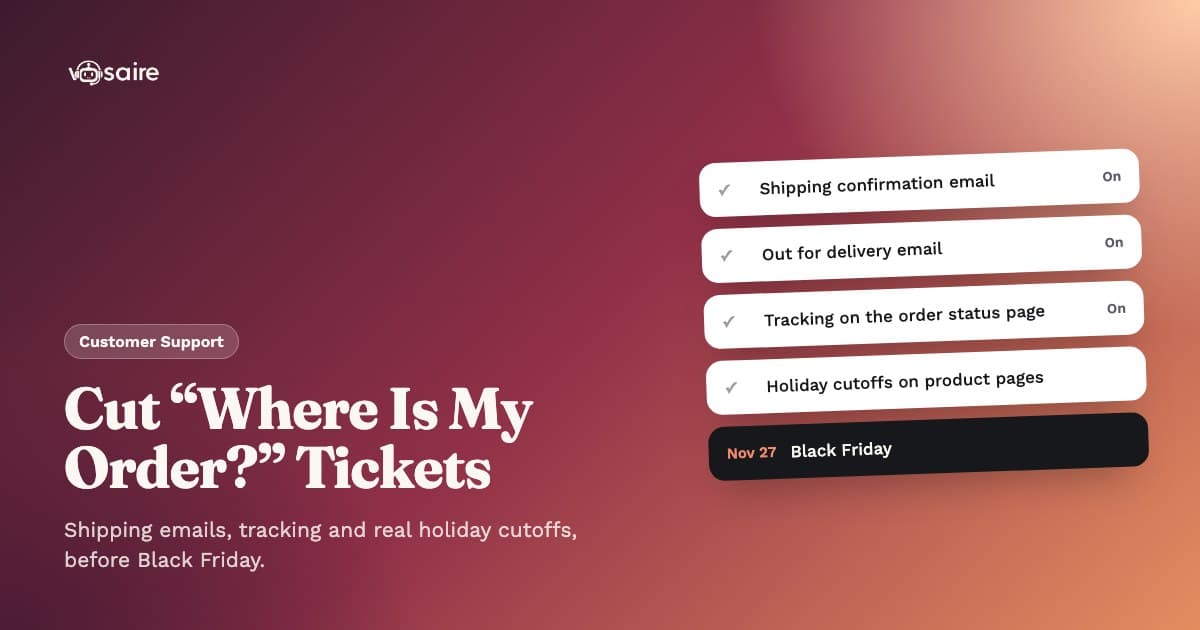
How to Cut "Where Is My Order?" Tickets Before Black Friday
Every Black Friday order comes with a question attached, even if the customer never asks it: when will this arrive? When your store doesn't answer it first, the customer sends a "where is my order?" email instead. In support, that's called a WISMO ticket.
BFCM 2026 runs from Friday, November 27 to Monday, November 30, about four weeks away. Most of what cuts WISMO volume is free and already built into Shopify. It just needs switching on before the orders arrive.
Why WISMO tickets spike after Black Friday
WISMO is not one problem. It's a few separate gaps that all show up as the same email:
- Silence after checkout. The order is paid, but nothing ships for two or three days while you work through the backlog.
- Carrier slowdowns. Holiday parcel volume stretches transit times, and tracking pages can go quiet for a day or more between scans.
- Vague expectations. "Ships in 3–5 business days" means little when the customer wants to know if a gift arrives before December 25.
- Hard-to-find tracking. The link is buried in an email, or the customer checked out as a guest.
It also doesn't end on Cyber Monday. Shopify's own holiday support guide reports that ecommerce brands see an average 79% spike in support tickets in the first week of December, right after the sales end (Shopify).
How big is the WISMO problem, really?
You'll see figures like "30 to 50% of all ecommerce tickets are WISMO" repeated across many vendor blogs. Treat them with care. The tracking company Ship24 tried to trace the common WISMO statistics back to their source in August 2026 and found no published study behind them: no sample, no method, no definition of what counted (Ship24).
Our honest read: WISMO is likely the biggest single category for most stores, but your number depends on your products, carriers and season. Measure yours first:
- Tag the last 200 tickets from your inbox, chat and DMs. Count how many are some version of "where is my order?"
- Calculate your WISMO rate: WISMO tickets divided by orders shipped in the same period.
- Note the timing. Do they come before the order ships, or after, when tracking stalls? The fix is different for each.
Turn on every shipping email Shopify already sends
The cheapest fix is telling customers before they ask. Shopify's built-in customer notifications cover most of the journey (Shopify Help Center):
- Shipping confirmation: sent when an order is fulfilled.
- Shipping update: sent when tracking information is updated.
- Out for delivery: sent when a shipment is out for delivery.
- Delivered: sent when a shipment is delivered.
Check all four are on in Settings → Notifications → Customer notifications. Two caveats from Shopify's own docs: the out-for-delivery and delivered emails rely on tracking events from the carrier or fulfillment app, and Shopify notes that accuracy and timing vary by carrier. They also don't apply to local delivery orders.
Then edit the shipping confirmation to say what normal looks like: "Tracking can take 24 to 48 hours to show the first scan during the holidays."
Fix the gap between checkout and shipping
If your BFCM fulfilment backlog is two days, the customer sees two days of nothing. Fill it:
- Edit the order confirmation email to say when you expect to ship: "Black Friday orders ship within 3 business days."
- Add tracking numbers to every fulfillment. Shopify's order status page can only show tracking if you add it, and a fulfillment without tracking guarantees a follow-up email.
- Send a short delay note if your backlog grows past what you promised.
Make the order status page do more work
Every Shopify order has an order status page. Once you add tracking, customers can check the status of their shipment without contacting you, and with a supported carrier they can see real-time updates on where it is (Shopify Help Center).
Small changes that help:
- Customize it in the checkout and accounts editor so it matches your brand and doesn't look like a different site.
- Add a short holiday note with your processing time and a link to your shipping policy.
- Link to it from your footer, contact page and FAQ.
Shopify is moving away from the older "Additional scripts" box, so use the editor for new changes.
Set honest delivery expectations at checkout
Many WISMO tickets really mean "you said it would be here by now." Publish real carrier cutoffs for Christmas delivery. The 2026 dates carriers have announced so far, as reported by Value Added Resource (check the USPS holiday page and FedEx before you publish yours, as carriers sometimes adjust them):
| Carrier and service | Ship by (US, for delivery by Christmas) |
|---|---|
| USPS Ground Advantage | December 17 |
| USPS Priority Mail | December 18 |
| USPS Priority Mail Express | December 19 |
| FedEx Ground Economy | December 15 |
| FedEx Ground/Home, 5-day transit | December 17 |
| FedEx 2Day | December 22 |
These are carrier recommendations, not guarantees. Subtract your own processing time: with two days to pack and USPS Ground Advantage, your real cutoff is around December 15. Put that date on your product pages, cart and shipping policy.
Write a shipping FAQ that answers the next five questions
When a customer does go looking, give them an answer instead of a contact form. Your shipping policy or FAQ page should cover:
- How long processing takes during BFCM.
- Which carriers you use and typical transit times.
- What to do if tracking hasn't moved in 3 or more days.
- What happens if a package shows delivered but isn't there.
- Your Christmas order cutoff dates.
Keep it in one place. If your FAQ and shipping policy disagree, every person and AI chatbot reading them will too. More on this in our BFCM customer support checklist.
Prepare macros for the tickets that still arrive
Some WISMO tickets will get through. Make them fast:
- "Not shipped yet" with your current processing time.
- "Shipped, tracking not updating" explaining scan gaps and when to worry.
- "Shows delivered, not received" asking them to check neighbours and the mailbox, then wait 24 hours before you open a carrier claim.
- "Delayed past estimate" with an apology and what you'll do next.
Measure WISMO through December
Track three numbers weekly from now to mid-December:
- WISMO tickets as a share of all tickets.
- WISMO rate (WISMO tickets per order shipped).
- When they arrive. A spike on day two points to the pre-shipping gap. A spike on day seven points to carrier delays.
Where an AI chatbot fits
Some customers will still ask in chat. They don't want a link, they want the answer. That's where an AI agent with real order access helps.
Vosaire's order lookup checks the order live in Shopify and replies with its real status, fulfillment and tracking. If the customer is logged into their store account, it recognizes them and doesn't ask for their email or order number again. It never invents a status it doesn't have. Order lookup is included on every plan, including Free.
A few related pieces:
- A self-serve Track tab. The widget can show an order tracking tab where customers look up an order by email or phone number plus order number, without chatting at all.
- Email verification. On Growth and higher plans, you can require a one-time 6-digit code before order lookup by email, so nobody can check someone else's order with a guessed address.
- Same answers on WhatsApp and Telegram, available on every plan.
It's one piece of the Vosaire support agent, not a replacement for the shipping emails above. Already on Shopify's free Inbox? See our Shopify Inbox alternative comparison.
FAQ
What does WISMO stand for? "Where is my order?" It covers any customer question about an order's status, shipping or delivery.
What's a normal WISMO rate? There's no reliable public benchmark. Track your own rate and compare week to week.
Do Shopify's out-for-delivery and delivered emails work with every carrier? They depend on tracking events from the carrier or fulfillment app, and Shopify says accuracy and timing vary by carrier. Test a real order with each carrier you use.
When should I set my Christmas order cutoff? Take the carrier's recommended ship-by date and subtract your own processing time. For USPS Ground Advantage, that's December 17 minus however long you need to pack.
Get it done before November 27
Turn on every shipping email, fill the gap before shipping, publish real cutoffs, and give customers a way to check their order without asking you. Then let an AI chatbot answer the ones who ask anyway. See the plans or start with the AI Chatbot on the Free plan and test it on your own orders this week.