Blog / AI Search & AEO / Guides
November 1, 2026
How to Let ChatGPT and Other AI Crawlers See Your Shopify Store
For most Shopify stores, AI crawlers can already read your store, because Shopify's default robots.txt doesn't block them. The real decisions are which training crawlers you want to keep out, and making sure nothing (an old theme edit, a password page, a bot-protection service) is quietly blocking the search crawlers that put stores into ChatGPT, Perplexity and Claude answers.
Below: the two kinds of crawler, each one by name, a copy-paste robots.txt.liquid template, and how to check the result. Crawler names change often, so everything here is as of November 2026, per each company's own docs.
Training crawlers vs search crawlers
AI companies now run several bots each, with different jobs:
- Search crawlers index pages so the assistant can find and cite them when someone asks a question. Block these and your store can drop out of AI answers.
- User fetchers visit a page live because a person asked the assistant something that needs it. Several companies say these may not follow robots.txt, since a human triggered the visit.
- Training crawlers (or training tokens) collect content that may be used to train future AI models. Blocking them keeps your content out of training, and the companies say it doesn't affect search.
OpenAI is explicit about this split. It says "sites that are opted out of OAI-SearchBot will not be shown in ChatGPT search answers," while "disallowing GPTBot indicates a site's content should not be used in training generative AI foundation models" (OpenAI). Each setting is independent.
The AI crawlers that matter for a Shopify store
| Crawler (robots.txt name) | Company | What it does | Recommended |
|---|---|---|---|
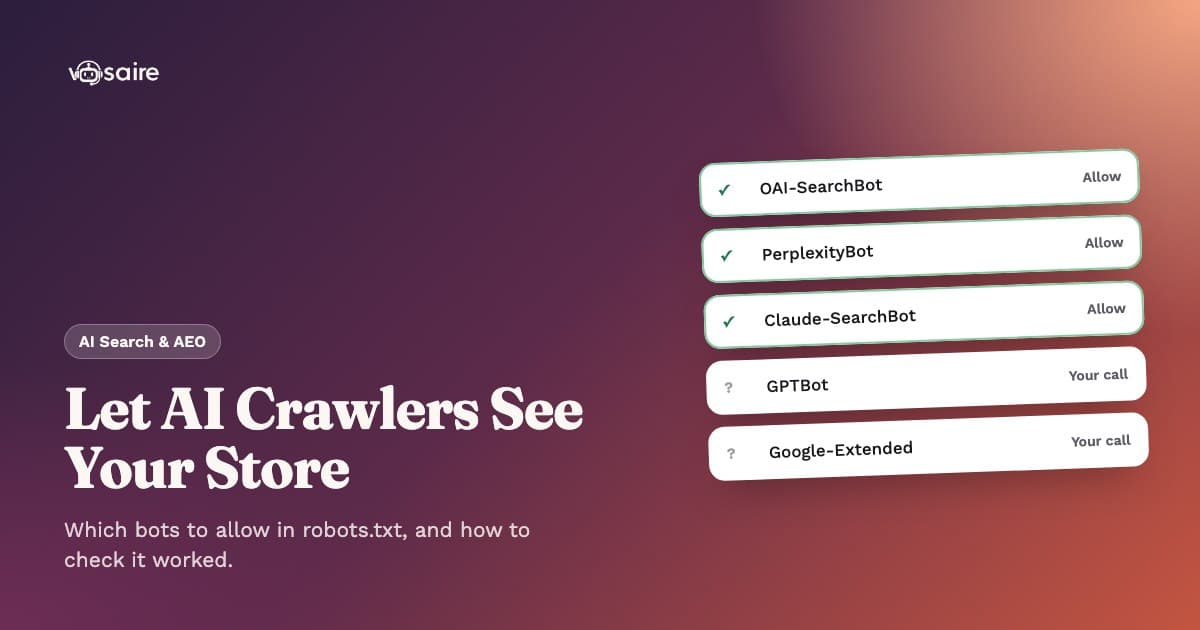
OAI-SearchBot | OpenAI | Indexes sites for ChatGPT search answers | Allow |
ChatGPT-User | OpenAI | Visits a page when a ChatGPT user's question needs it | Allow |
GPTBot | OpenAI | Collects content that may train OpenAI models | Your choice |
PerplexityBot | Perplexity | Indexes sites for Perplexity answers; Perplexity says it is not used for training | Allow |
Perplexity-User | Perplexity | Fetches pages during a user's question | Allow |
Claude-SearchBot | Anthropic | Crawls to improve Claude's search results | Allow |
Claude-User | Anthropic | Fetches pages when a Claude user asks | Allow |
ClaudeBot | Anthropic | Collects content that may train Anthropic models | Your choice |
Google-Extended | A control token for Gemini training and grounding; not a separate crawler | Your choice | |
Applebot | Apple | Powers Siri, Spotlight and Safari search | Allow |
Applebot-Extended | Apple | A control token for Apple's AI training; doesn't crawl | Your choice |
CCBot | Common Crawl | Builds a public web archive that is widely used as AI training data | Your choice |
A few details worth knowing:
- Google-Extended does not touch Google Search. Google says it "does not impact a site's inclusion in Google Search nor is it used as a ranking signal" (Google). Google's page doesn't say whether it affects AI Overviews, so don't assume either way.
- Applebot-Extended works the same way. Apple says pages that disallow it "can still be included in search results" (Apple).
- User fetchers may ignore robots.txt. OpenAI says for ChatGPT-User "robots.txt rules may not apply," and Perplexity says Perplexity-User "generally ignores robots.txt rules" (Perplexity).
- Anthropic's bots honor robots.txt, and Anthropic warns that blocking its IP addresses is not a reliable opt-out (Anthropic).
What Shopify's default robots.txt already does
Shopify generates a robots.txt for every store. Per Shopify, it allows crawlers to reach products, collections, pages, blogs and policies, and blocks admin, cart, checkout, account and order pages, plus filtered and sorted collection pages that duplicate content (Shopify Help Center).
When we checked live Shopify stores in November 2026, the default file had a User-agent: * group plus named groups for adsbot-google, Nutch, AhrefsBot, AhrefsSiteAudit, MJ12bot and Pinterest. None of the AI crawlers above were named, so they all follow the * group: allowed on your store pages, kept out of cart and checkout.
In other words, if you've never edited robots.txt, you don't need to add anything to let AI search crawlers in. You only need to edit it if you want to block training crawlers, or to undo an old block.
How to edit robots.txt on Shopify
Shopify doesn't let you upload a plain robots.txt. Instead you add a robots.txt.liquid template to your theme:
- In Shopify admin, go to Online Store → Themes.
- On your live theme, click the ... menu and choose Edit code.
- Under Templates, click Add a new template, choose robots, and click Create template.
- Edit the template and save.
Take Shopify's warnings seriously:
- "Incorrect use of the feature can result in loss of all traffic."
- Shopify Support can't help with edits to this file.
- Don't replace the template with plain text rules. Keep Shopify's default groups so they stay up to date.
- Uploading a theme from the Themes page doesn't carry
robots.txt.liquidover, so re-check after a theme change.
To go back to Shopify's default at any time, delete the robots.txt.liquid template.
Copy-paste template: allow AI search, block AI training
This keeps every Shopify default rule (using the robots.default_groups loop from Shopify's developer docs) and adds new groups at the end for the training crawlers. Search crawlers aren't named, so they keep following the default * rules.
{% for group in robots.default_groups %}
  {{- group.user_agent }}

  {%- for rule in group.rules -%}
    {{ rule }}
  {%- endfor -%}

  {%- if group.sitemap != blank -%}
    {{ group.sitemap }}
  {%- endif -%}
{% endfor %}

# AI training: opt out (search crawlers stay allowed via the * group)
User-agent: GPTBot
Disallow: /

User-agent: ClaudeBot
Disallow: /

User-agent: Google-Extended
Disallow: /

User-agent: Applebot-Extended
Disallow: /

User-agent: CCBot
Disallow: /
Happy for your store to be used in training? Delete those groups, or skip the template entirely.
Don't add Allow: / groups for search crawlers. Under the robots.txt standard, a crawler follows only the group that names it. A User-agent: OAI-SearchBot group with Allow: / would replace the * rules for that bot, so it would stop skipping your cart, checkout and duplicate filter pages.
If an AI crawler is blocked and you didn't do it
If your store blocks a search crawler, the cause is usually one of these:
- A password page. While your store is password protected, crawlers only see the password screen. Remove it under Online Store → Preferences.
- An old
robots.txt.liquidedit. An agency or app may have addedDisallow: /groups for bots likeGPTBotorPerplexityBot. Open the template and remove the groups you don't want. - A bot-protection service in front of your domain. Cloudflare, for example, moved in July 2025 toward blocking AI crawlers by default for its customers (Cloudflare). If you route your Shopify domain through your own Cloudflare account or a similar firewall, its AI-bot settings can block crawlers before robots.txt is ever read. Shopify itself asks you to remove workarounds like this before editing robots.txt.
How to check it worked
- Open
yourstore.com/robots.txtin a browser. Confirm your new groups appear, the default groups are still there, and no search crawler sits underDisallow: /. - Test specific URLs. Paste the file into a robots.txt testing tool and check a product URL and a collection URL against
OAI-SearchBot,PerplexityBotandClaude-SearchBot. - Wait a day. Changes on Shopify are live immediately, but OpenAI says it can take about 24 hours for its systems to adjust.
- Ask the assistants. Search for your products in ChatGPT, Perplexity and Claude and see whether your pages appear as sources.
One honest limit: Shopify doesn't give you server logs, so you can't see which bots actually visited. You can confirm what your robots.txt allows, and you can watch AI answers and AI referral traffic over time (here's how to track that), but you can't confirm a specific crawl.
Checking it automatically
Re-reading robots.txt after every theme change gets old. Our Vosaire AI Visibility app includes an AI access check on every plan, including Free. It reads your live robots.txt the way crawlers do and tests each AI crawler (OpenAI, Perplexity, Anthropic, Google and Bing) on your home page, a product page and a collection page. Training crawlers are shown but never count against you. It also flags a password page and missing refund or shipping policies, and re-checks once a result is over 6 hours old.
FAQ
Do I need to add GPTBot or OAI-SearchBot to robots.txt to appear in ChatGPT?
No. Shopify's default robots.txt already lets them in through the * group. You only need to make sure nothing blocks OAI-SearchBot.
Will blocking GPTBot remove my store from ChatGPT?
Not according to OpenAI. GPTBot controls training, while OAI-SearchBot controls whether you appear in ChatGPT search answers. Many stores block GPTBot and allow OAI-SearchBot.
Does blocking Google-Extended hurt my Google rankings?
Google says it doesn't affect Google Search inclusion or ranking. It controls whether your content is used for Gemini training and grounding.
Is robots.txt enough to keep AI away from my content?
Not entirely. The major training and search crawlers say they honor it, but user-triggered fetchers may not. It's a request, not a lock.
Next step
Crawler access is step one. Once AI can read your store, the work is getting it to recommend you: see our step-by-step guide to getting your Shopify store recommended by ChatGPT. To check access and track your AI visibility in one place, see AI Visibility plans, or compare it with other AEO apps such as Avada AEO.