Domain restrictions and spam protection
Go to Apps → Vosaire: AI Chatbot & Sales → Account → Settings.
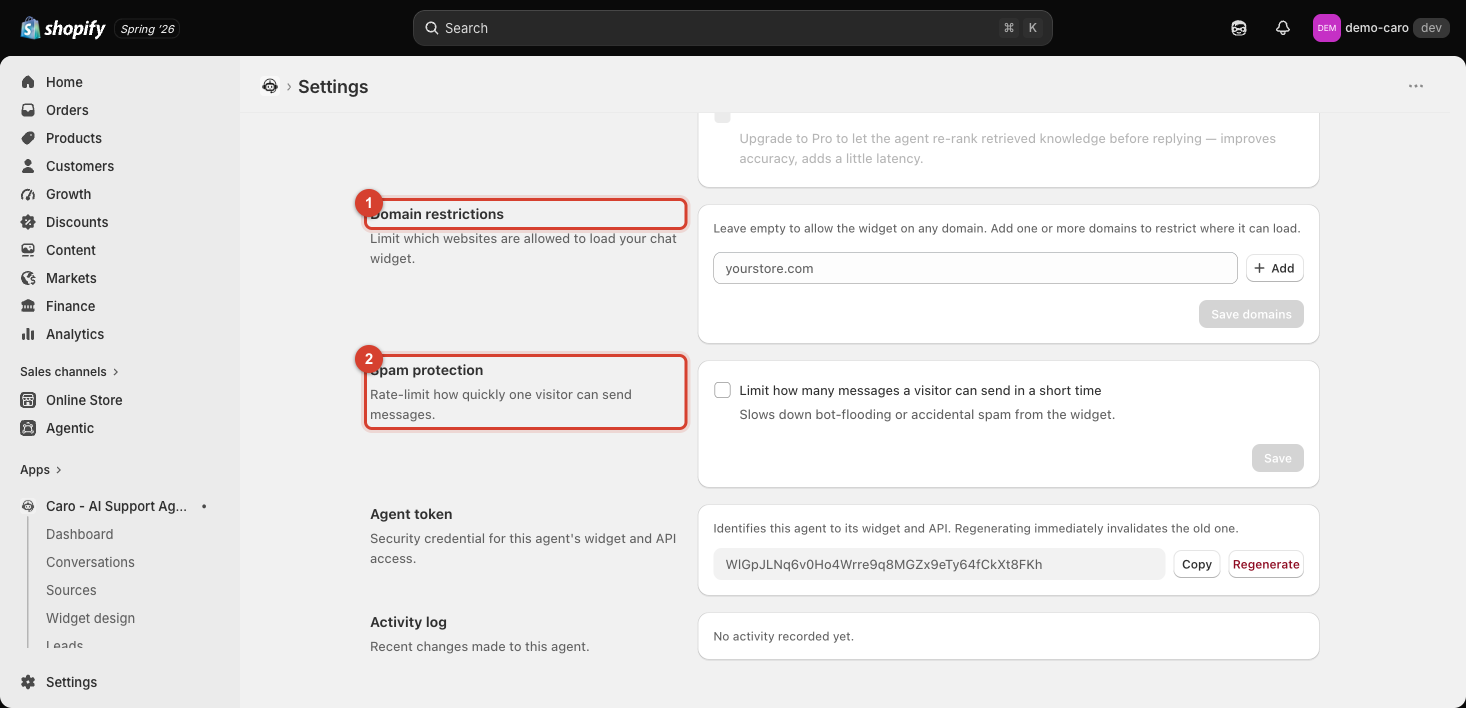
Domain restrictions
By default, "Leave empty to allow the widget on any domain." Since the widget works by loading Vosaire's script wherever it's embedded, an unrestricted setup means the widget (and its agent token — see Agent token and the Activity log) would technically work if embedded on any site, not only your own.
Add one or more domains here to restrict where the widget is allowed to load — a reasonable hardening step once you're live, even though most stores never see this exploited in practice.
Spam protection
"Rate-limit how quickly one visitor can send messages." Turn on Limit how many messages a visitor can send in a short time to slow down bot-flooding or accidental spam from the widget.
Why both matter together
Domain restrictions control where the widget can run at all; spam protection controls how fast any one visitor can hit it once it's running. Neither is on by default — for a store handling real traffic, enabling both is a reasonable baseline, especially once you know your production domain and don't expect to be testing on other domains.