Agent token and the Activity log
Go to Apps → Vosaire: AI Chatbot & Sales → Account → Settings.
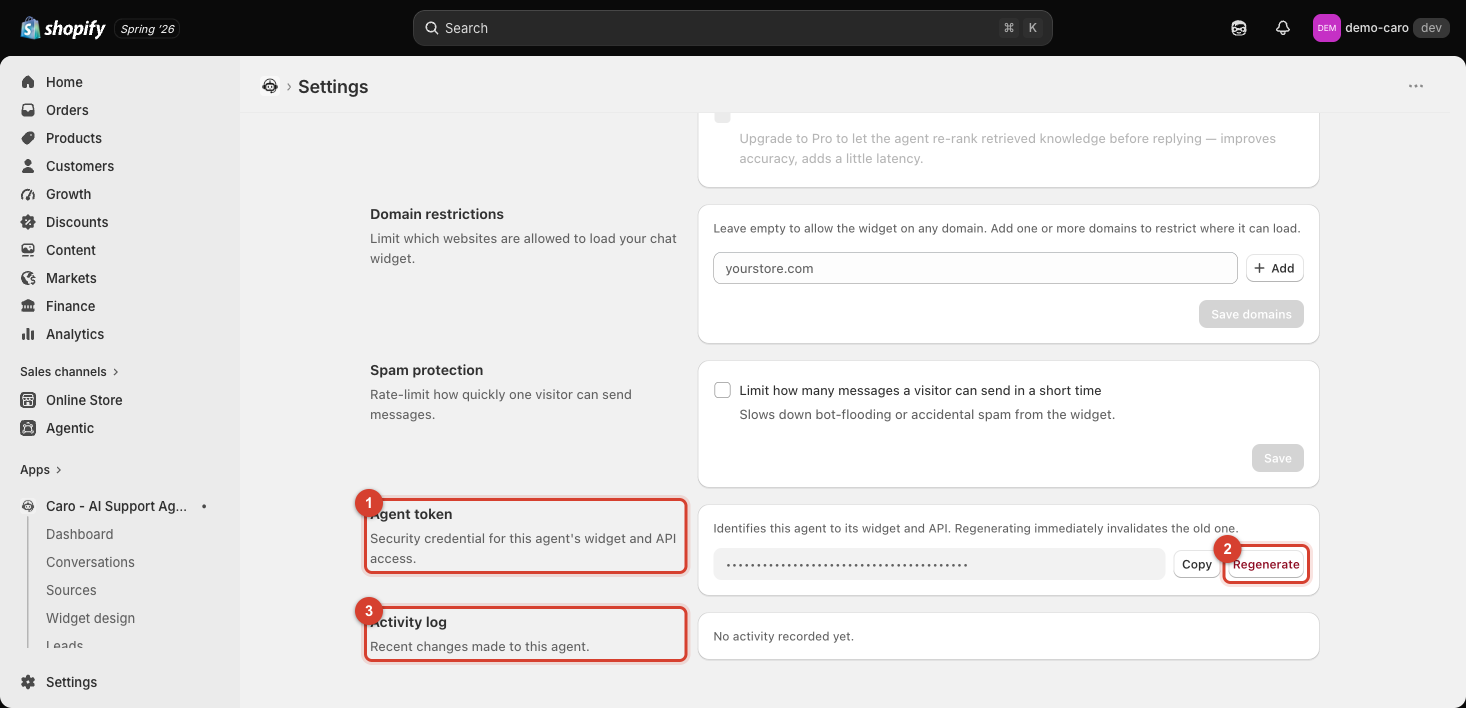
Agent token
The page describes it precisely: "Identifies this agent to its widget and API. Regenerating immediately invalidates the old one." This token is what authenticates requests from your widget (and any direct API usage) as belonging to this specific agent.
- Copy — copies the token for use elsewhere (e.g. a custom integration).
- Regenerate — issues a brand-new token and immediately invalidates the old one.
When to regenerate
Regenerate the token if you suspect it's been exposed — accidentally committed to a public code repository, shared in a support ticket, or pasted somewhere it shouldn't have been. Since regenerating invalidates the old token immediately, do this only when you're ready to also update anywhere else the old token was being used, or those integrations will break the moment you regenerate.
Treat it like a password
Never paste your agent token into a screenshot, public forum post, or anywhere else it could be captured — it's a real credential, not a display-only ID.
Activity log
"Recent changes made to this agent." A record of modifications to this agent's configuration — useful for understanding what changed and when, especially if more than one teammate has access to Settings. On a fresh setup, this shows "No activity recorded yet."