Turning on cross-visit memory
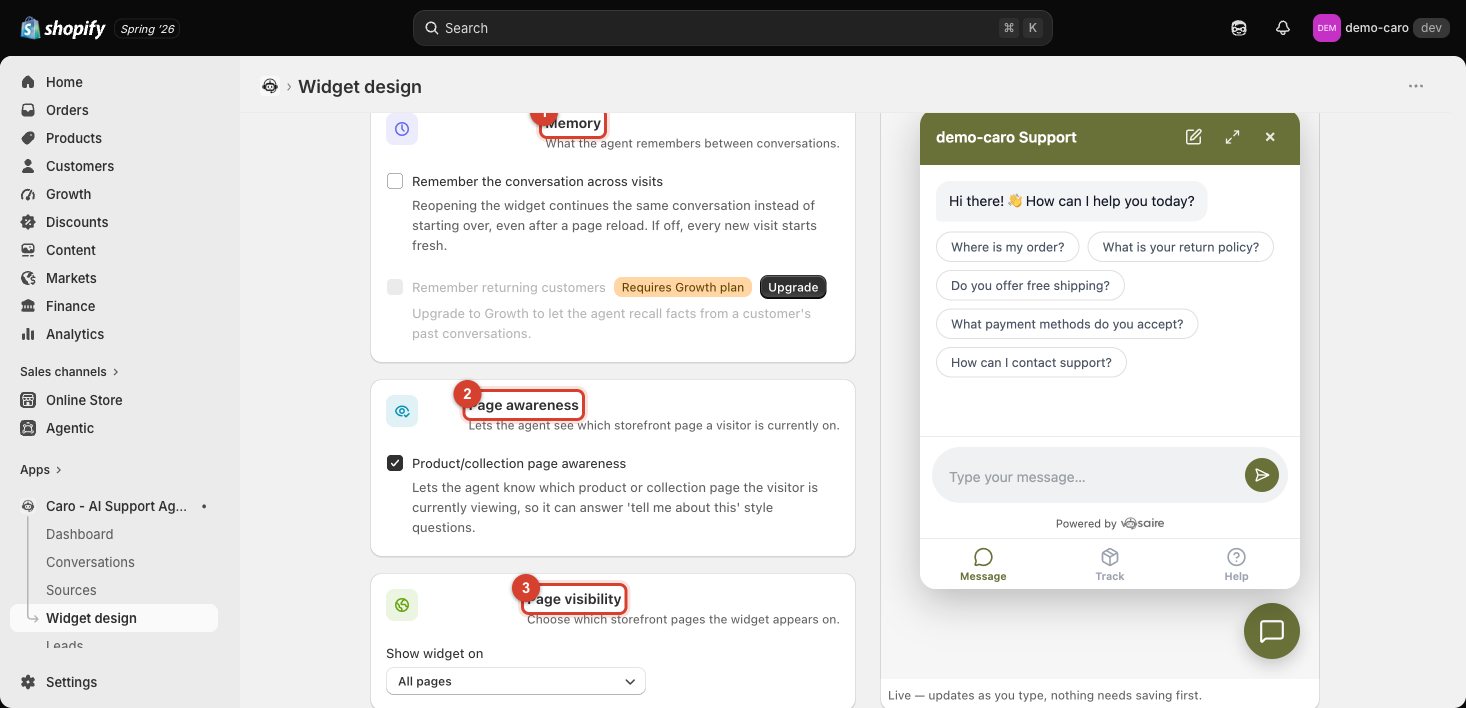
Go to Apps → Vosaire: AI Chatbot & Sales → Widget → Design → More views → Behavior → Memory. Available on every plan, off by default.
What it does
Remember the conversation across visits makes reopening the widget continue the same conversation instead of starting fresh — even after a page reload. If a customer closes the tab mid-conversation and comes back an hour later, they'll see the same thread rather than a blank chat.
When this is off (the default), every new visit starts a brand-new conversation, with no reference to anything discussed before — even if it was five minutes ago on the same page.
When to turn it on
Turn this on if customers commonly browse across multiple pages or sessions before finishing a conversation — e.g. checking a product, leaving, coming back to ask a follow-up. Without it, that follow-up loses all prior context and the customer has to re-explain themselves.
The limit of this setting
This only continues the same browser session's conversation — it doesn't let Vosaire recognize a returning customer on a different device or after clearing cookies, and it doesn't pull in facts from a previous, separate conversation. That's what Remember returning customers is for — see Remembering returning customers.