Blog / Guides
October 17, 2026
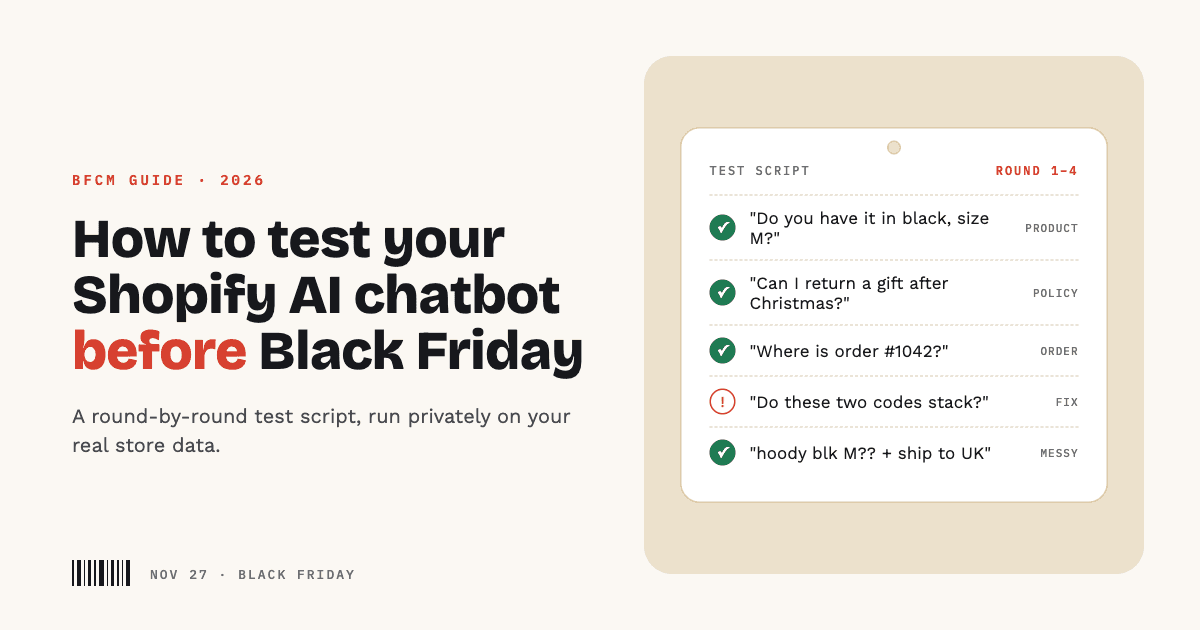
How to Test Your Shopify AI Chatbot Before Black Friday
Most stores set up an AI chatbot, ask it two easy questions, see two good answers, and switch it on. Then Black Friday arrives, and the first customer asks something nobody tried: a discount that doesn't stack, a size that sold out an hour ago, an order placed under a different email.
Black Friday 2026 is Friday, November 27. Shopify's own BFCM guidance puts "test your Shopify apps" two to four weeks before the weekend (Shopify). You have about six weeks, which is enough time to do it properly, as long as you start now and test the way customers actually ask.
Why testing matters more than setup
Setting up an AI chatbot takes an afternoon. Knowing it answers correctly is a different job, and it's the one that matters when volume spikes.
- Wrong answers have real costs. In Moffatt v. Air Canada (2024), the airline's website chatbot told a customer he could apply for a bereavement fare after travelling, within 90 days of booking. The airline's real policy didn't allow that. Air Canada argued it wasn't responsible for what its chatbot said; the tribunal disagreed ("It should be obvious to Air Canada that it is responsible for all the information on its website") and ordered it to pay C$812.02 (summary via Manatt). Your store is responsible for what your chatbot says in exactly the same way.
- BFCM multiplies every mistake. Shopify merchants sold $14.6 billion over BFCM 2025, peaking at $5.1 million per minute (Shopify). We covered what that means for support in our BFCM customer support checklist. An answer that's wrong once in a quiet week is wrong hundreds of times that weekend.
- Customers now expect instant, always-on answers. In Zendesk's CX Trends 2026 report, 74% of consumers say AI has made them expect customer service to be available 24/7, and 88% expect faster responses than a year ago (Zendesk). An AI chatbot is how most stores meet that, which is exactly why it has to be right.
- You can't fix what you haven't seen. Every gap you find in October is one your customers won't find in November.
Step 1: test privately, on your real store data
The worst place to discover a wrong answer is on your live storefront. Test somewhere customers can't see it.
- Keep the chat widget switched off on your theme while you test. Shopify chat apps add themselves to your storefront through a theme app embed, which you switch on or off in the theme editor (Shopify Help Center). Leave it off until your tests pass.
- Test against your real catalog and policies, not a demo store. A chatbot that's great on sample products tells you nothing about how it handles your 400 variants or your gift-return policy.
- Use a private test chat. In Vosaire, the Test your agent page lets you chat with your agent using your real products, policies and training, while nothing appears on your store and test chats stay out of your analytics. You can start a fresh chat at any time to try a question again from scratch.
If you're replacing an existing chat app, this also means you can compare answers side by side without touching what's live.
Step 2: build a test script from real questions
Don't make up test questions. Pull them from what customers already ask you:
- Your support inbox from last November and December.
- Your live chat or DM history.
- Questions your team answers every week without thinking.
Aim for 30 to 50 questions, grouped into the rounds below. Write down the answer you expect for each one before you ask it. That's what turns "seems fine" into a real pass or fail.
Round 1: product questions
This is where most BFCM chats start, and where vague answers lose sales.
- A specific product by name. Does it find the right one, not a similar-sounding one?
- A size or colour. "Do you have the black one in medium?" Check the answer against your actual stock.
- A specific option your products come in. A material, a pattern, a finish. If you store these in product metafields, check the chatbot actually reads them. Vosaire reads every kind of product metafield and shows exactly the products that offer the option a customer named.
- Something you don't sell. The right answer is a clear "we don't carry that", not a loosely related product presented as a match.
- A recommendation. "A gift for my dad who likes hiking, under $50." Are the suggestions real, in stock and actually under $50?
Round 2: policy questions
Policy answers are where chatbots get stores into trouble, because a confident wrong answer reads exactly like a right one.
- Your return window, especially for holiday and gift purchases.
- Whether sale items are final sale.
- Whether discount codes stack, and what the minimums are.
- Shipping cutoffs for delivery before the holidays.
- Payment methods, international shipping and duties.
If an answer is wrong, find where it came from. Usually it's an old FAQ page that contradicts your current policy. Fix the source, not just the answer.
Round 3: orders and requests
Order questions need a live lookup, not a guess.
- "Where is my order?" Use a real recent order number and the email it was placed with. The answer should match what Shopify shows.
- A wrong email or order number. It should say it can't find the order, not make up a status.
- A cancellation or change request. Check what actually happens. A good agent captures the request and passes it to you; it should never tell a customer their order is cancelled or refunded when it can't do that itself. Vosaire's cancellation and return intake records the request with a reference number and leaves the decision to your team.
Round 4: try to break it
Customers don't ask clean, single questions. Test the messy ones:
- Two or three questions in one message.
- Typos, slang and half-sentences ("hoody blk M?").
- A question in another language, if you sell abroad.
- Something completely off-topic, or a request for a competitor's product.
- A question your store information genuinely doesn't answer.
That last one matters most. The right behaviour is admitting it doesn't know and offering a way to reach you, not inventing an answer.
How to score the answers
Keep it simple. For each question, mark one of these:
| Result | What it means | What to do |
|---|---|---|
| Correct | Right answer, from your real data | Nothing |
| Incomplete | Right, but missing something useful | Add detail to the source it used |
| Wrong | Confident but incorrect | Find and fix the source, then add a correction |
| Honest gap | Said it didn't know | Add the missing information |
| Overstepped | Promised something it can't do | Check your actions and instructions |
An honest gap is a good result. Wrong and Overstepped are the ones to fix before November.
Fix, then test again
Each failed question points to something specific to change:
- Correct the answer directly. In Vosaire, a corrected answer is saved to your training so future customers get the right one. The Training page keeps every correction in one list, so you can review or undo them.
- Fix or add the source. Update the policy page itself, or add your BFCM policies as a custom source.
- Re-run the whole script, not just the failed question. A fix for one answer can change another.
Two or three rounds of this usually takes a store from "mostly right" to "right on everything customers actually ask".
Go live with a final check
Once the script passes, switch it on and do a last check on the real storefront:
- Turn on the app embed in your theme (here's how).
- Ask five of your test questions from your phone. Most holiday shopping happens on mobile.
- Check the chat doesn't cover your add-to-cart button or cookie banner.
- Know where the off switch is. You can pause the agent instantly if something goes wrong mid-sale.
A six-week timeline
| When | What to do |
|---|---|
| Now | Pull last year's questions and write your test script |
| 5 weeks out | Run all four rounds on your real data, privately |
| 4 weeks out | Fix sources and add corrections, then re-run the script |
| 3 weeks out | Add BFCM-specific policies, cutoffs and discount rules; test them |
| 2 weeks out | Go live and check it on the real storefront and on mobile |
| BFCM week | Review real conversations daily and correct anything new |
Test Vosaire on your own store
Vosaire is a Shopify AI agent built to be tested before it's trusted. Install it, let it learn your catalog and policies, and use the Test your agent page to put your real questions to it privately before you switch it on. When something's wrong, correct it once and the fix sticks.
See everything it can do, or compare the plans. There's a Free plan, so you can run your whole test script before Black Friday without committing to anything. Still choosing an app? See how the options compare.